Accessible school calendar embed

Give families one calendar they can actually use.

CalendarKit is an embeddable, accessible calendar that combines your district and school event feeds into one page families can filter by school and category.

Free for 90 days, no credit card. Sign in within 14 days to keep it. If you buy, everything you set up stays.

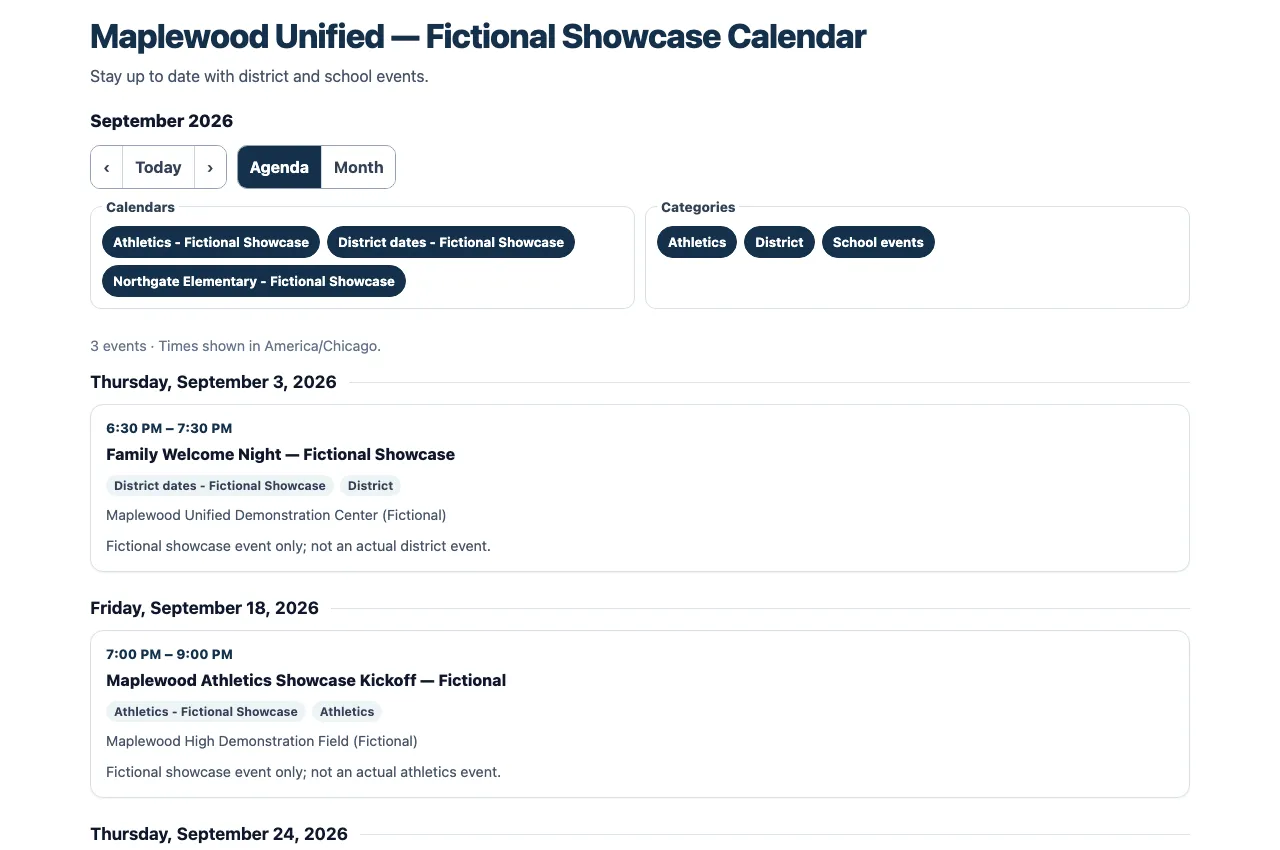
CalendarKit on the Maplewood example district site: an agenda of upcoming events with calendar and category filters for athletics, district dates and one elementary school.

Try it right here

One calendar. The right events for each school.

Filter a week of Maplewood events by school and category, the way families will.

Interactive example · one week of Maplewood events

Scope and publishing

Choose the family view

The whole-district view includes every school. A school view can also include district-wide events.

Try the sample publishing states

Families see only published calendars and events. You decide what goes public and when.

What families see

Maplewood community calendar

Maplewood example · October 12–16, 2026 · Central time

3 sample events shown.

  • Monday, October 12 · Community

    District family information night

    6:00–7:00 p.m. · District center

    Sample source: Live calendar feed

  • Tuesday, October 13 · Community

    Maplewood open house

    5:30–6:30 p.m. · Maplewood Elementary

    Sample source: Uploaded .ics snapshot

  • Friday, October 16 · Athletics

    Cedar home game

    7:00 p.m. · Cedar High

    Sample source: Live calendar feed

Live feeds refresh on their own; an uploaded .ics file is a one-time import. Only published events and calendars reach families.

Then try CalendarKit with your own district.

Your free 90-day trial includes all 11 tools, set up with your schools. Three steps to see it working:

  1. Step 1

    Connect one calendar

    Set the calendar’s title and time zone, then connect a public ICS feed or import an .ics file. The calendar stays private until you publish it.

  2. Step 2

    Check the imported dates

    Review times, descriptions, schools and categories. A live feed keeps refreshing on its own; an uploaded file is a one-time import.

  3. Step 3

    Publish the family view

    Publish the calendar and open its hosted page or embed. Each school’s view can include district-wide events too.

Bringing in IT or purchasing? Share our data practices, accessibility statement and subscription terms with your team.

The calendar your team controls

CalendarKit is included in every DistrictMapper plan. Your administrators manage the sources and events; families get a hosted page or an embed on your existing website showing exactly what you publish.

  • Bring the sources together

    Connect live public ICS feeds, upload a one-time .ics snapshot, or add a manual event. Every source lands in one family calendar.

  • District-wide or one school

    Assign a source or event to the district or a school, and organize it by category. A school-specific embed can include district-wide events when your team wants that context.

  • Publish when it’s ready

    The calendar stays private while you set it up. Publish a hosted page or embed it on your website when it looks right; drafts and paused sources stay hidden.

Frequently asked questions

Set up once, stays in sync

Part of one connected suite

CalendarKit works with every other DistrictMapper tool, from the map families start on to the tour request that ends in enrollment. Set up your schools and brand once, and every tool stays in sync.

  • WCAG 2.2 AA target
  • Setup help included
  • $2,500/year to $20,000/year, by enrollment

See it working with your real schools.

Spin up a free 90-day trial built from your real district. Enter your email and we'll send a sign-in link once it's ready. No sales call required.

Start a free 90-day trial

A 30-minute demo, with your district in mind.

The live map, every tool, and your exact price. Bring your colleagues.

Book a demo